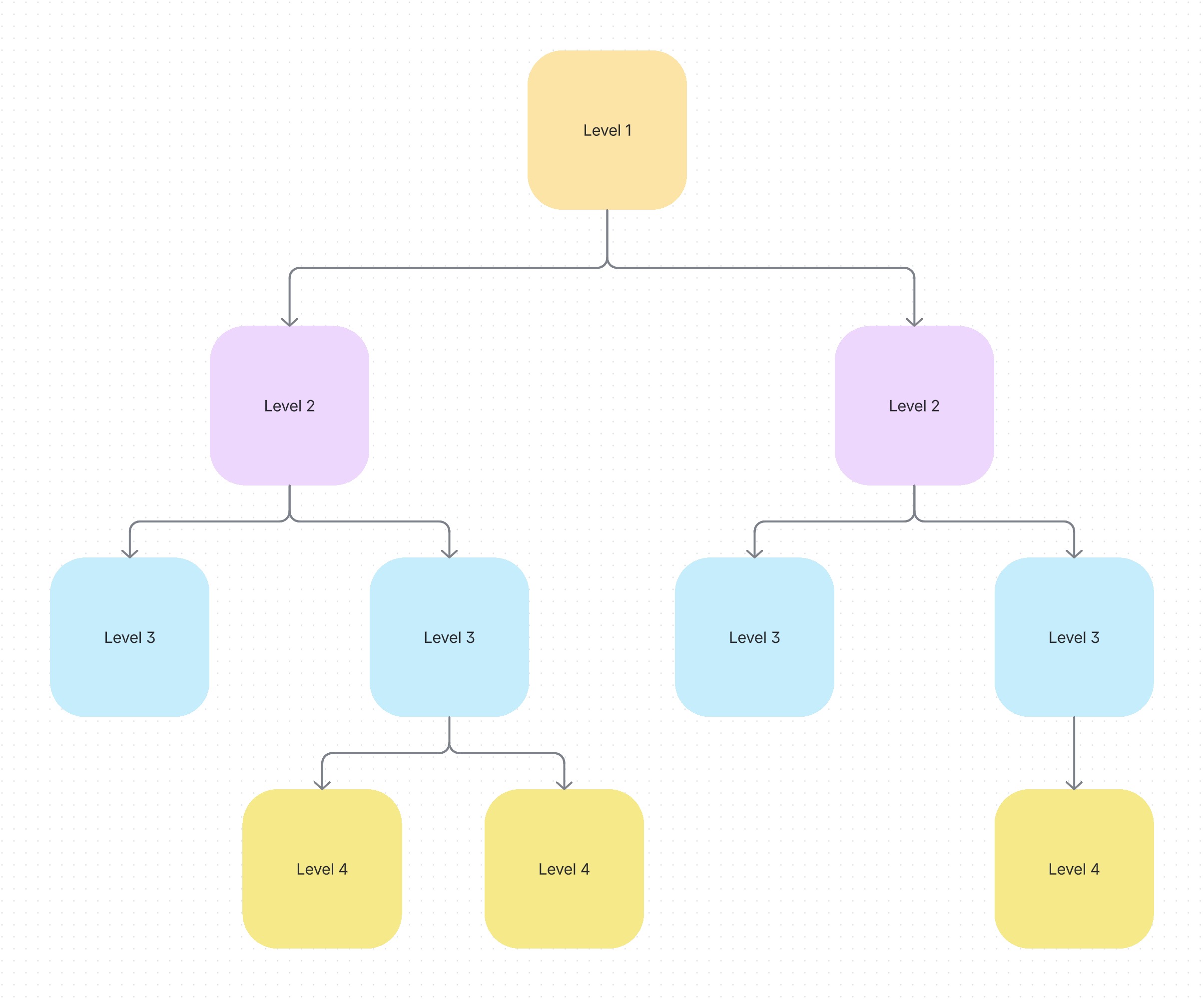
Decision tree template
Created by:

Simplify complex decisions by mapping out options and outcomes, helping teams make better decisions
Categories
- Project Management
- Whiteboard Template
KEY FEATURES
Decision Tracking
Problem Solving
Task Planning
Making good decisions is hard. But with the right visual tool, you can break down complex choices into manageable steps and see potential outcomes before committing. A decision tree template can help you visualize decisions, weigh options, and choose the best path forward for your team.
With Confluence whiteboards, you can easily create interactive decision trees on which your team can collaborate in real-time, turning abstract discussions into concrete visual decision maps.
What is a decision tree?
A decision-making tree template is a pre-structured format that gives you a head start when creating decision trees. Instead of starting from scratch, you get a framework with the basic components already in place — just fill in your specific decision points, options, and outcomes.
This ready-made structure simplifies organizing complex decisions into a visual format, improving clarity and understanding. Templates help standardize your decision-making approach and save valuable time, especially when working with teams that frequently make crucial decisions.
What are the components of a decision tree?
A standard decision tree requires several key components to create a practical decision-making framework. Understanding these elements will help you build more useful decision trees:
Decision point: The starting position represents the problem or question you must resolve, serving as the trunk from which all options branch out.
Options: The different choices or courses of action available for addressing the decision point, creating the primary branches of your tree.
Outcomes: The potential results that may occur based on each selected option, forming the secondary branches that extend from each option.
Criteria: The critical factors you'll use to evaluate each outcome, such as cost, time, resources, or alignment with goals.
Evaluation: The process of weighing the pros and cons of each outcome against your criteria to determine which option provides the best solution.
These components interconnect to create a visual roadmap that systematically guides you through complex decisions, helping teams move from uncertainty to clear, defensible choices.
When to use a decision tree
Decision trees are most valuable when facing complex decisions with multiple variables and potential outcomes. They're helpful when comparing options with different risk profiles or when you need to illustrate the decision-making process to stakeholders.
Decision trees work well for both personal and professional decisions. You can use them to choose between job offers or determine strategic planning approaches. When you need to evaluate options and their consequences systematically, a decision tree can provide valuable structure.
Benefits
Simplifies decision-making
A good decision tree breaks down complex choices into simpler, more digestible steps. Rather than trying to process all options simultaneously, you can focus on one decision point at a time, making the process less overwhelming and more manageable.
Improves clarity
Decision trees make choices clearer by visually showing all possible options and outcomes. This transparency helps everyone involved understand each choice's options and potential consequences, leading to more informed decisions.
Enhances problem-solving
When you map out all potential pathways, you naturally identify possible issues before they arise. This foresight allows teams to prepare contingency plans and avoid pitfalls, turning reactive problem-solving into a proactive strategy.
Streamlines communication
Having a visual reference makes discussions about decisions more productive. Teams can point to specific branches or outcomes when sharing perspectives, ensuring everyone is talking about the same thing. This improves team collaboration while avoiding miscommunications.
Saves time
Decision trees help speed up decision-making by providing a clear visual reference. Once created, they prevent repetitive discussions since all possibilities are already laid out, allowing teams to move forward more efficiently.
How to use the decision tree template
- 1
Step 1. Define the decision
Clearly state the specific problem or decision that needs to be addressed at the top of your tree. Be precise about what exactly needs to be determined. Remember that vague decisions lead to vague outcomes.
- 2
Step 2. List all the options
Identify every possible option or course of action related to your decision. Ensure each option is clearly defined and distinct from the others to avoid confusion later in the process.
- 3
Step 3. Determine the criteria
Identify factors influencing your decision, such as cost, timing, resource requirements, or risk levels. These criteria will serve as guideposts when evaluating each option.
- 4
Step 4. Map the outcomes
Identify the potential outcomes or results for each option. Draw branches from each option to show how different decisions might play out, creating a visual map of possible scenarios.
- 5
Step 5. Evaluate the consequences
Assess the pros and cons of each outcome, considering how well it aligns with your goals. This evaluation helps weigh the potential risks against the benefits of each option.
- 6
Step 6. Make the decision
Based on your evaluation, select the option that best addresses your needs and aligns with your priorities. The decision tree's visual nature makes it easier to see which path leads to the most favorable outcome.
Make a decision tree in Confluence whiteboards
Confluence provides teams the perfect space to create interactive decision trees that evolve as your thinking changes. Visual collaboration with Confluence whiteboards allows team members to simultaneously work on mapping out options, adding criteria, and evaluating outcomes, regardless of location. Online whiteboards provide an infinite canvas where even the most complex decisions can be fully mapped.
Transform your decision-making process by combining the structure of decision trees with the flexibility of Confluence. Teams can start by brainstorming unstructured ideas and then gradually organizing them into a cohesive decision framework. This improves project collaboration by connecting relevant documents, Jira issues, and other work items directly to the decision points that impact them.
Related templates

Project Management
Decision matrix template
Evaluate options, clarify priorities, and make informed decisions
Project Planning
Action plan template
Use Atlassian’s free action plan template in Confluence to create clear, structured roadmaps and reach your goals faster.
Explore more templates to supercharge teamwork
Empower everyone, on every team. Build, connect, and deliver your biggest ideas seamlessly across Atlassian apps using our complete collection of ready-made workflows.